Blender
Build a Stylized Blender Game Environment with AI: One Place with a Strong Silhouette
Create a compact stylized Blender environment around a clear landmark, consistent materials and a camera that reads at thumbnail size.
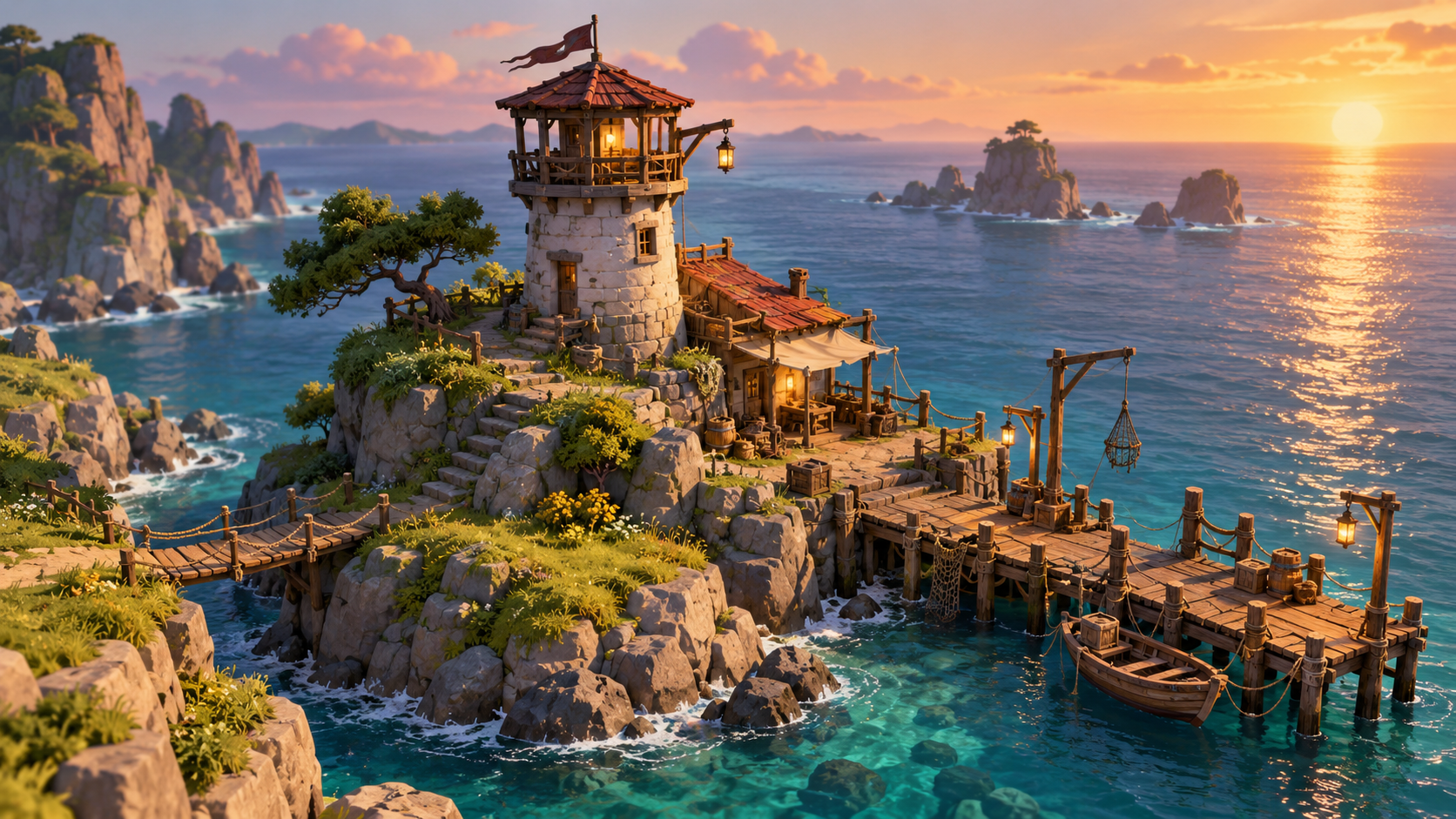
A stylized environment becomes memorable when one shape carries the scene. A seaside watchtower, a bright roof or a winding dock can guide the eye before the viewer notices small props. Start with that landmark and let the supporting geometry reinforce it.
The goal of an AI-assisted Blender scene is a useful native file and a clear visual direction. A render alone does not confirm clean topology, correct scale or engine-ready export.
Build around one landmark
Choose the object that should be recognized from the camera: the tower in this example. Place the dock and rock forms so they lead toward it. Keep the horizon quiet enough that the silhouette remains clear.
Use repeated materials to establish a family. One wood treatment can appear on the dock and tower supports; one stone treatment can appear on the island and foundation. Variation can come from shape, roughness and scale instead of a different material for every object.
Fix the camera before the details
An orthographic or three-quarter camera can make a small scene feel intentional. Set the camera early, then add only objects that support the composition. Check the scene at thumbnail size. If the landmark disappears, change its scale, contrast or placement before adding more decoration.
| Scene part | Job | Test |
|---|---|---|
| Watchtower | Primary silhouette | Recognizable in a small render |
| Dock | Leads the eye | Direction points toward the landmark |
| Rock island | Grounds the scene | Contact and scale feel believable |
| Grass and lantern | Adds life | Does not compete with the tower |
A reusable Blender brief
Prepare a Blender scene script for an original stylized seaside watchtower on a small rocky island. Include a wooden dock leading toward the tower, wind-bent grass, one lantern and a calm ocean horizon. Use a cohesive hand-crafted material family with wood, stone, metal and grass. Set an orthographic three-quarter camera that keeps the tower as the strongest silhouette. Arrange objects with descriptive names and sensible origins. Add soft warm lighting and a neutral render setup. Include native Blender run and render instructions and clearly identify any work that still needs manual topology or export inspection.
Keep the scene compact. A small finished place gives you a better reference for future asset briefs than a sprawling environment full of placeholders.
Inspect the file beyond the hero camera
Orbit around the tower and look underneath the dock. Check for floating objects, hidden intersections and inconsistent scale. Select each major object and confirm its name, origin and material slots. Then render from a second angle to see whether the scene only works from one carefully chosen view.
The low-poly asset guide covers production checks, while the lighting guide explains how to make a model readable. Use Buildr for a focused native scene brief, then open and inspect the generated Blender file.
YOUR NEXT BUILD