Blender
Prepare a Blender Character for a Game with AI: Pose, Joints and Inspection
Brief an AI-assisted Blender character scene around a clean pose and visible joint plan before asking for animation or export.
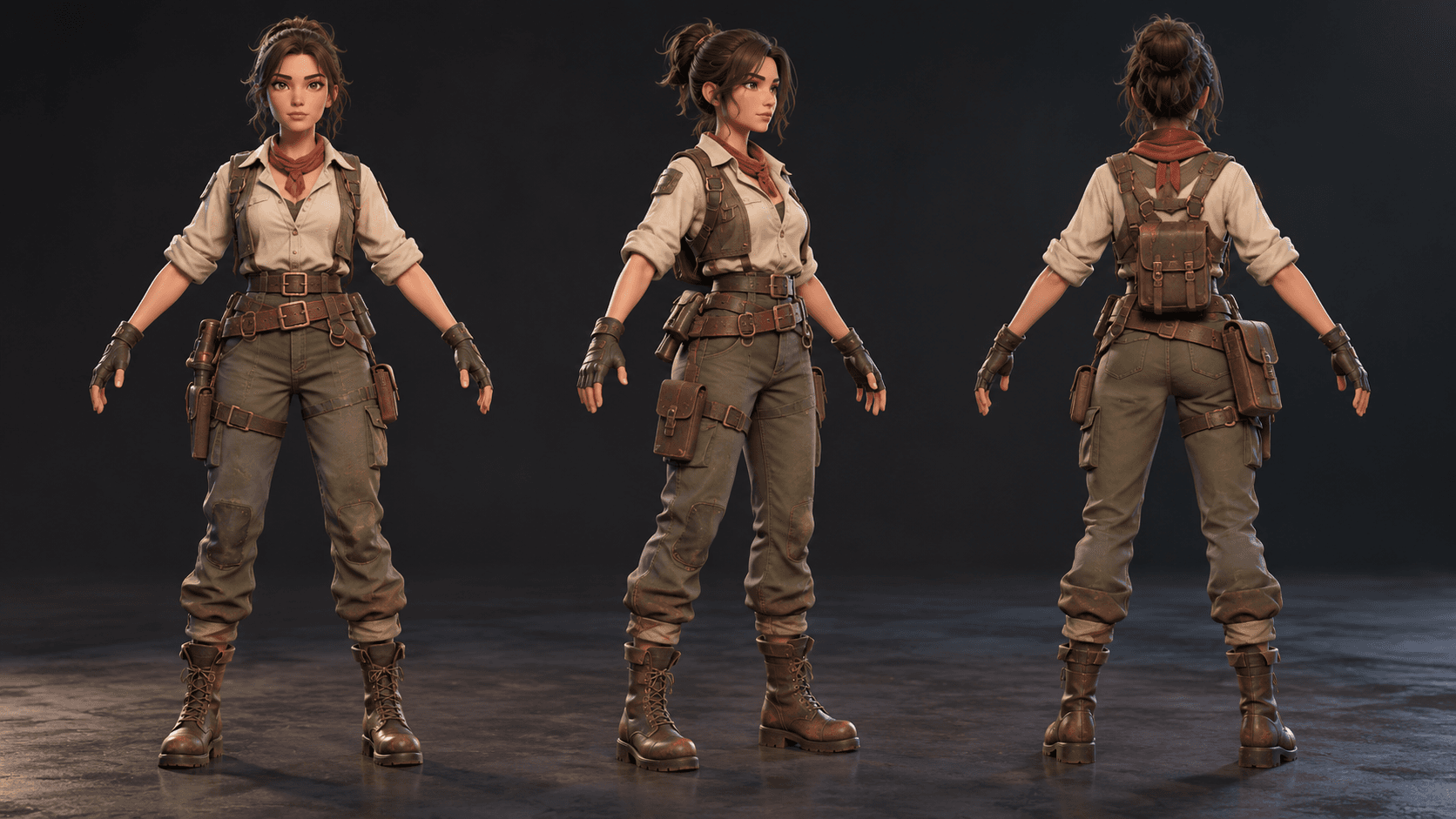
A character render can look finished while the mesh is difficult to pose. Before requesting animation, define a neutral pose, joints, clothing layers and the movement the character must perform. Rigging is a separate inspection task from making a polished image.
Start with one movement
Choose a walk, simple idle or one hand-held action. The movement determines which joints and clothing areas need room to deform. A character intended only as a background prop has different requirements from a player avatar.
Ask for clear object names and a neutral pose that exposes the limbs. Check the shoulder, elbow, hip and knee areas before hiding them under clothing. The cover is a concept render, not evidence of a working rig.
| Decision | Example |
|---|---|
| Neutral pose | A-pose for inspection |
| First action | Simple forward walk |
| Required joints | Spine, shoulders, elbows, hips and knees |
| Asset boundary | Character and separate accessories |
A practical Blender character brief
Prepare a Blender scene for an original stylized game explorer in a clean A-pose. Separate the body, layered clothing and accessories with descriptive names. Identify the joints needed for a simple forward walk and keep the mesh readable around shoulders, elbows, hips and knees. Use a neutral studio floor, soft lighting and a clear inspection camera. Include native run instructions and a checklist for posing each joint. Do not claim a finished rig, weights, animation or engine export unless those elements actually execute and inspect correctly.
This makes the missing work visible. If you need a complete rig, ask for it as a follow-up with the target animation and deformation tests.
Inspect poses instead of only rendering a hero shot
Rotate the shoulders, bend the elbows, lift one leg and twist the torso. Look for collapsing surfaces, clothing intersections and accessories that detach. Test the neutral pose again after every change.
Read the low-poly asset guide for mesh and scale checks and the Blender scene guide for composition. Use Buildr for a scoped character scene and evaluate it in Blender.
YOUR NEXT BUILD